Week 10 – Develop Digital Portfolio
This week, I edited my digital portfolio. I used Indesign, Photoshop and Canva to do this.
Evaluation
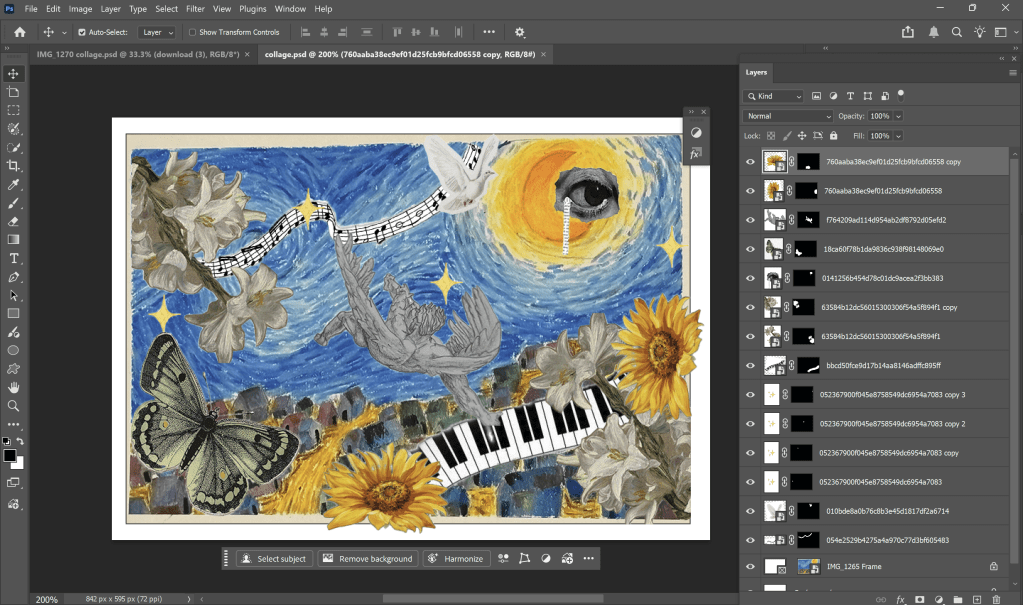
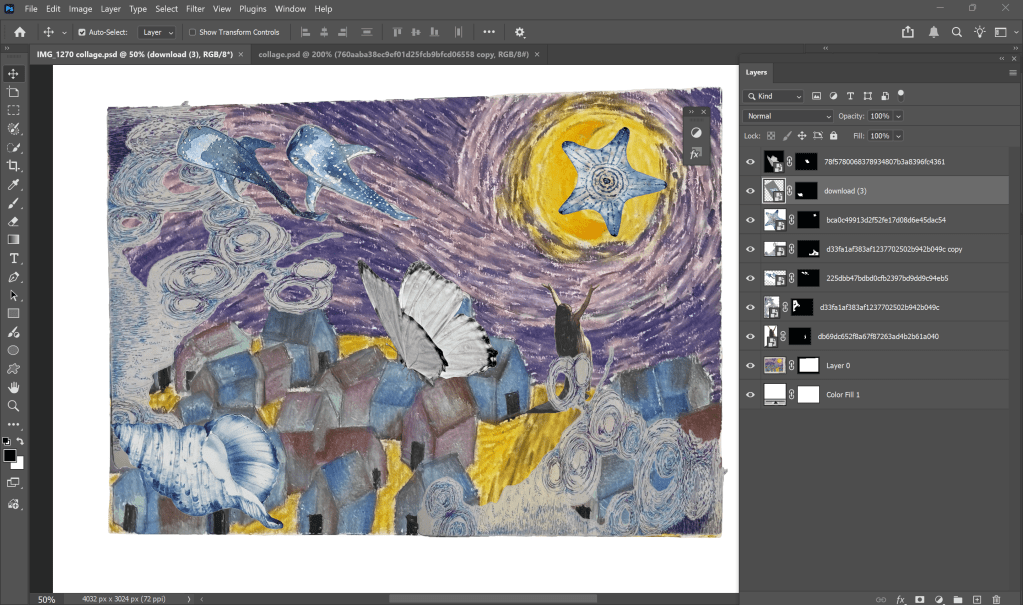
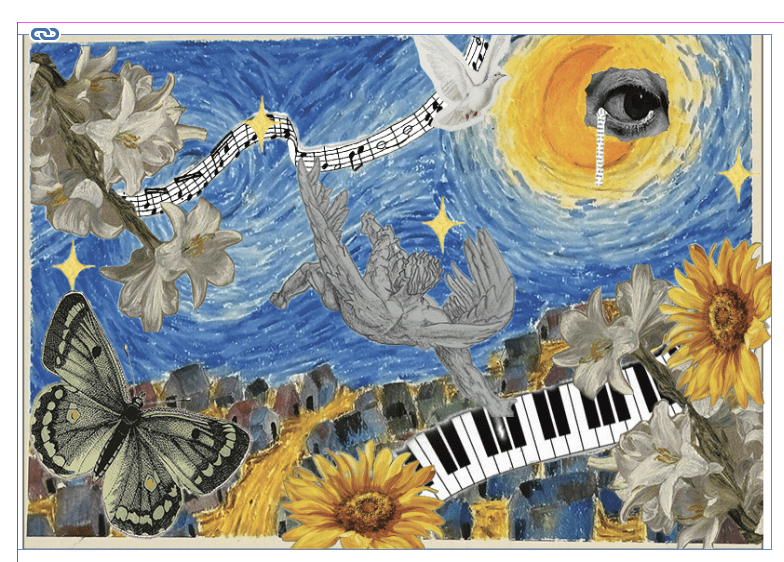
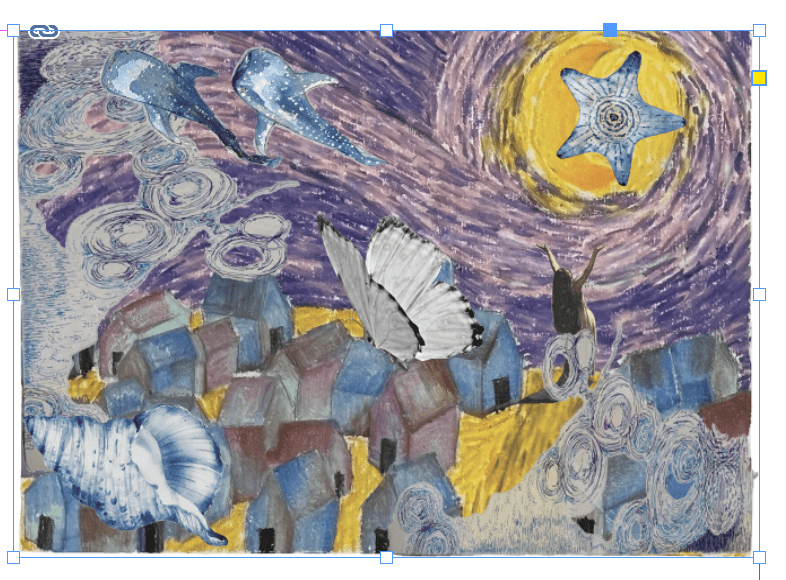
My portfolio has my pieces of work that I have done for my final outcome. After learning in-class, I had more experience with new and old materials, which helped me know how it works. This allows me to know if the way I did is efficient or not. Moreover, I can access many types of art that I have never known before. It is helpful for evolving ideas in my work. For example, I had experience with cardboard in my in-class activities, then when I did my 3D models, I could make models with the layering method that I had used before. I had a new experience making a bottle with cardboard without creating creases. Plus, I also develop my digital skill by combining both my sketches and digital images to make digital collage in Photoshop. To illustrate, I cut and cropped my sketches in Photoshop, added images found on the Internet and removed the background. Moreover, I acknowledged a new method as a grid method to do my still-life sketches, and I also evolved my cross-hatching technique to depict the texture of objects which I experienced in class. Vincent Vangogh is the main artist influencing me for my artwork. His artworks are not just ordinary paintings but also express his emotions and moods. In my abstract works, I made swirling curves as Starry Night of Vangogh, and I also used the contrast color to make them. Additionally, Eva Jospin also inspires me about the layering method, which helps me show the difference in high points. Moreover, I am inspired by Albrecht Durer about the grid method which allows me to sketch in the right scale of the objects. For my favourite weekly project, I love the weeks when I do 3D models and abstract work. For abstract work, this project allows me to explore how different color palettes affect the mood of a piece, such as realizing that blue feels cooler and calmer while purple feels more vibrant. Inspired by Van Gogh, I love using large, swirling curves to create a sense of strong wind and movement in the sky. I also enjoyed using strong contrasts between warm and cool colors. For 3D models, I find developing techniques, such as learning how to bend cardboard in a corrugated way, to create a smooth surface without breaking it, which is great for my future projects. I also like the layering method, which was great because it showed the height difference and allowed the layers to blend together visually rather than looking like separate pieces. Also, working with clay was very rewarding, as I was able to create organic shapes as I went along.The essential thing I learned through this module is to develop old skills and many new skills. In addition to the skill of researching and applying new knowledge. That makes me feel comfortable with approaching new things and daring to try new materials. Finally, my biggest challenge is time management, because I wanted to try many new things but I do not have enough time to handle all of the work. When I did my still-life sketches, I used a new grid method that I have never used before. I spent 4-5 days doing these sketches, it took me a lot of time to experience and finish the final of still-life sketches. But I made a schedule for every week, as in week 9, I had to finish all of the physical things and then complete the digital things in week 10. Plus, I also planned my relaxation time and freetime. This helps me to deal with unforeseen situations such as my sickness. That is why I still can finish my final outcome and portfolio.
Pages edited in Canva
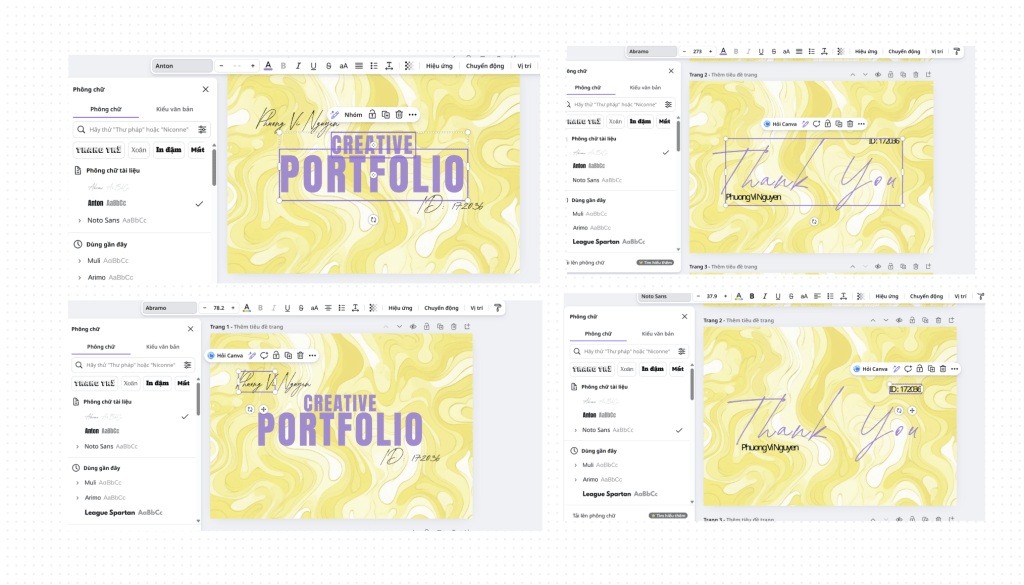
For these pages, I used Canva to edit because Canva has some fonts that Photoshop and Indesign donot have. I used Anton for title “CREATIVE PORTFOLIO”; Abramo for “Phuong Vi Nguyen” (my name), “ID: 172036″(my BCUIC id) in the cover and “Thank You”; Noto Sans for my name and my BCUIC id in the Thank You page.
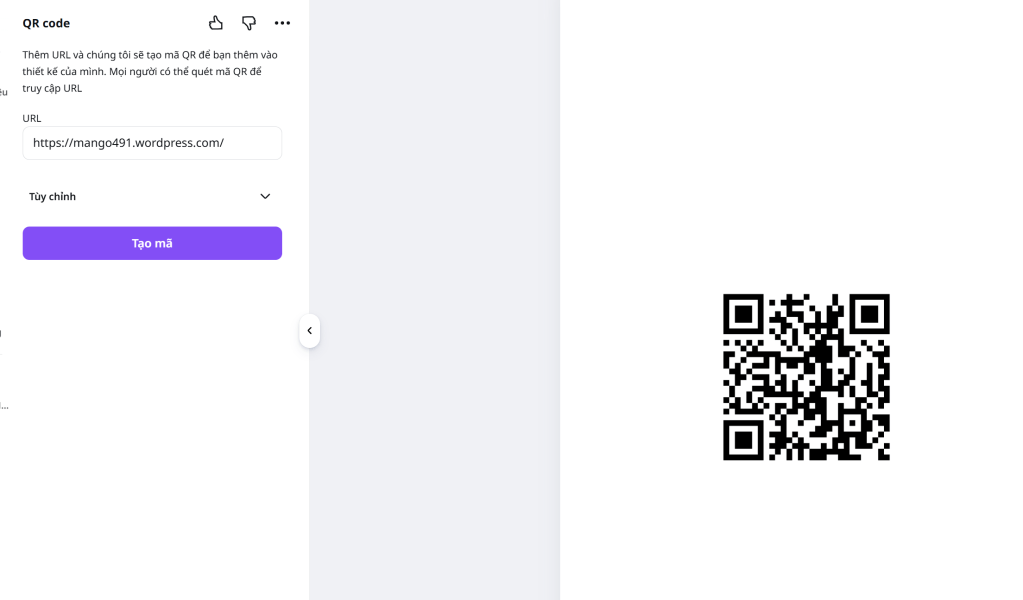
And I used Canva to make QR code for my wordpress, and put the QR code in indesign.
Pages edited in Photoshop
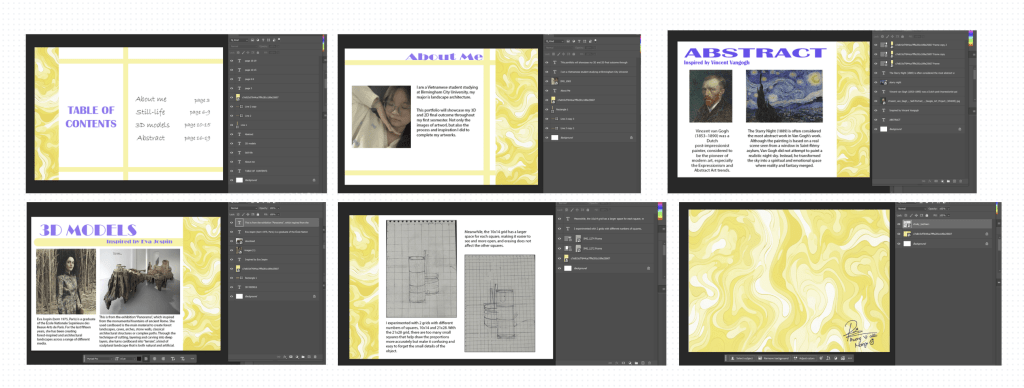
I used Photoshop for these because it is easier to change the color of objects (lines) and text in Photoshop than Indesign. The other pages, I edited directly in Indesign. I also used Photoshop to crop the images in my portfolio.
Especially, I added a digital collage in my final outcome. I pick some images in the Internet and remove their background, then I add it in my abstract work.
 Phuong Vi Nguyen