Week 4 – Premier
This week, I learnt about editing videos using Premier.
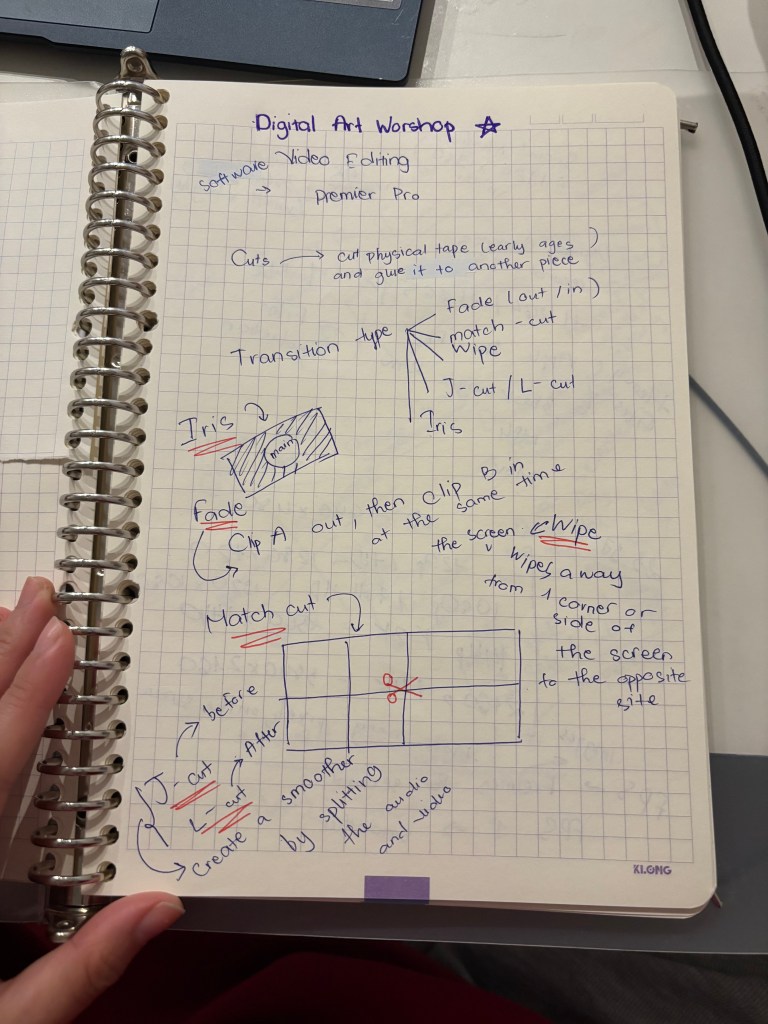
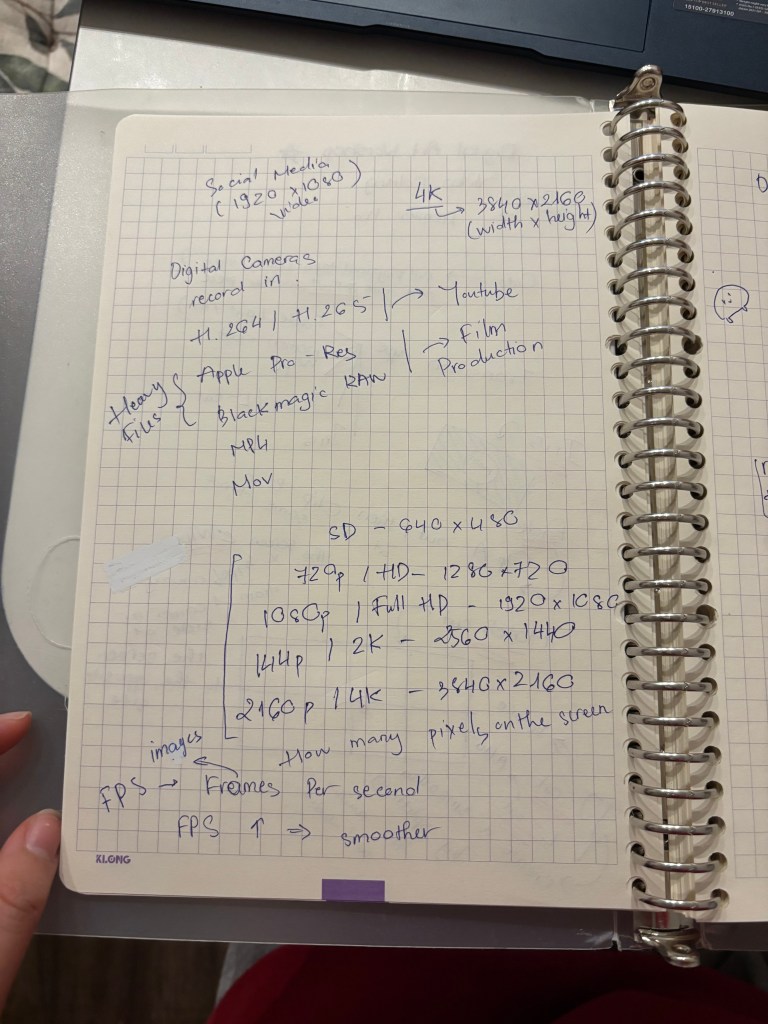
I was told about scene transitions in video editing, which include: Fade, Match-cut, Wipe, J-cut / L-cut and Iris. Then, I learnt about common video formats used on Youtube or other social media softwares such as H.264, H.265 and some heavy files used in film production as Pro Res and RAW. Moreover, depending on different platforms, I can edit videos in various kind of resolutions ( HD, full HD, 2K and 4K ) and aspect ratio ( 4;6, 9:16 and 21:9) .
Besides Premier, there are many video editing software such as Davinci Resolve, Final Cut Pro and AVID.
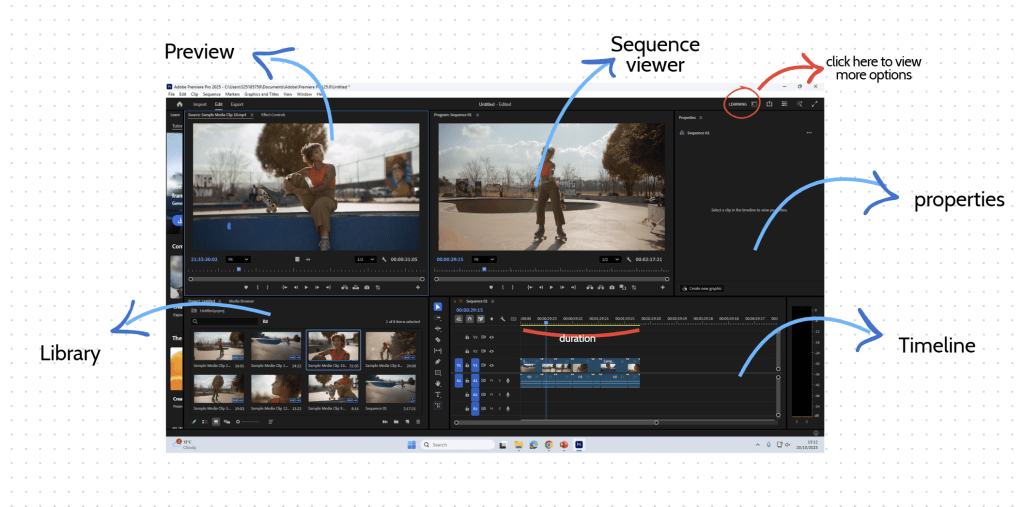
other options if i click on the learning box
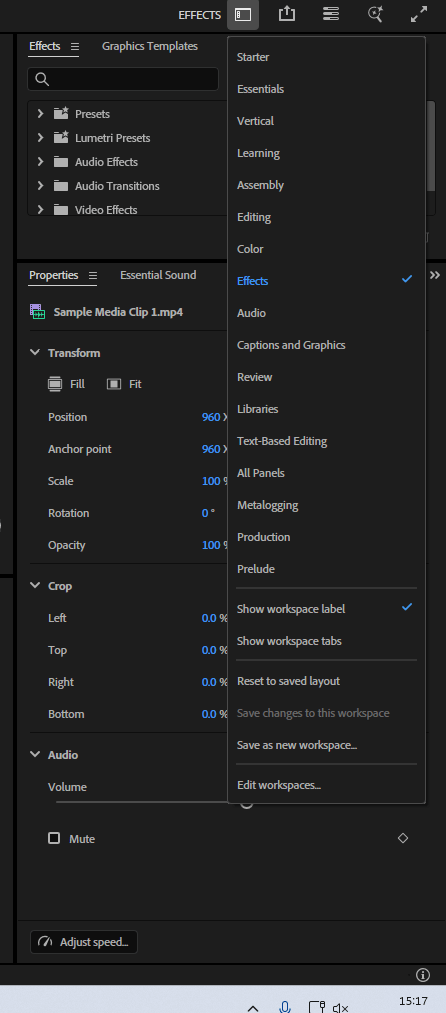
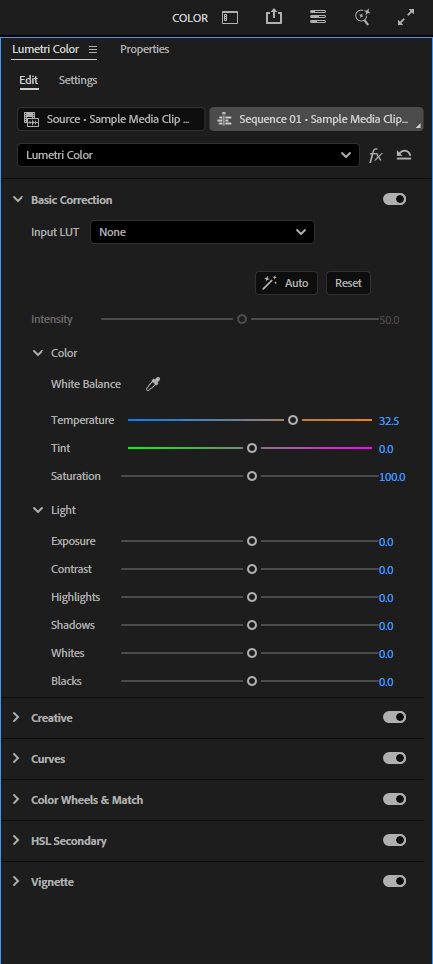
I can add more effects if I use effect option and change the color of the video if i use color option.
other functions
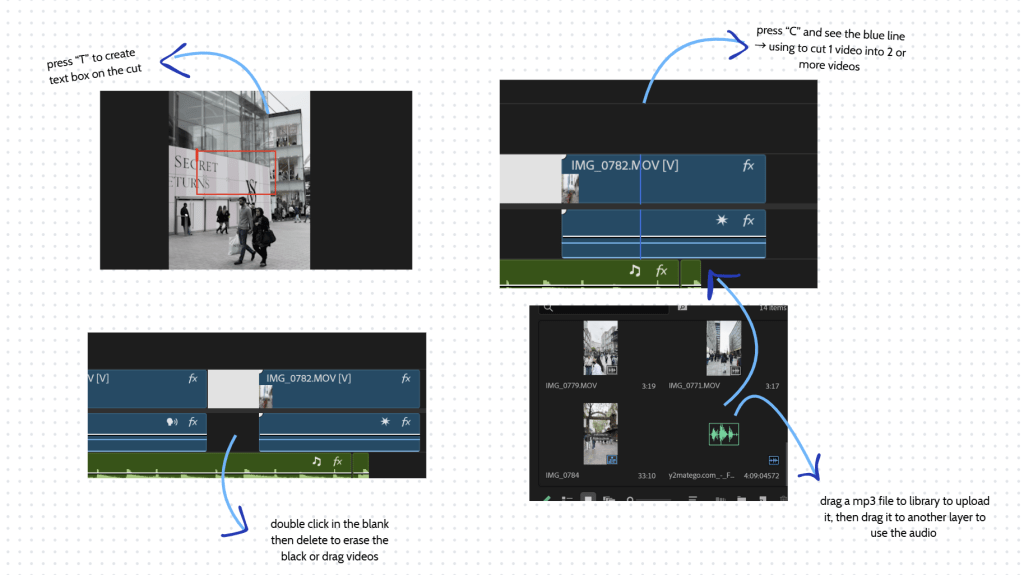
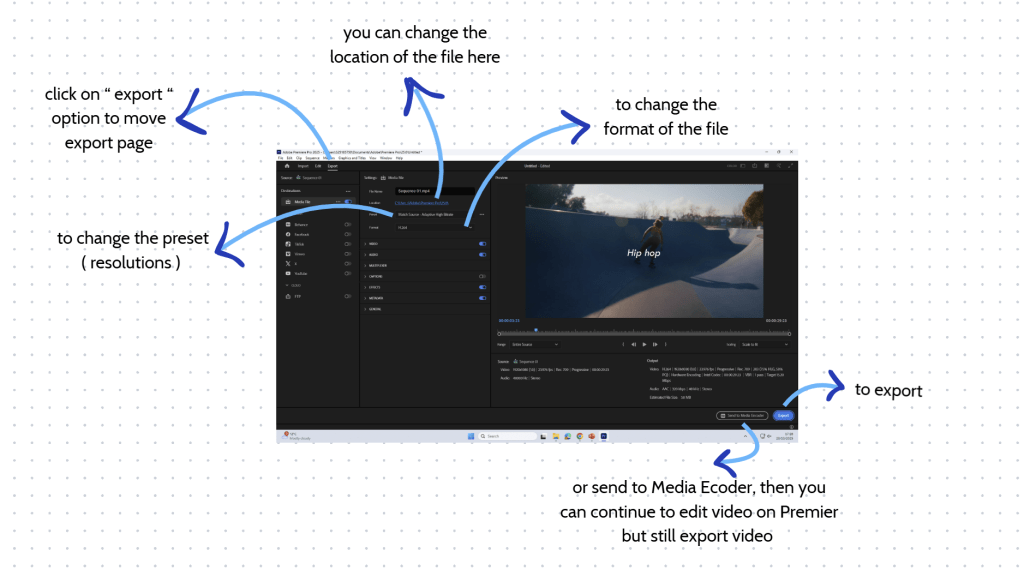
In class acitivity
This is the video, I made with what I studied in class. There are 3 scenes in this video. The first scenes have the text line “hiphop”. I changed the color of the second scene to make it more vibrant.
My product
At beginning of the video, I inserted “welcome to Birmingham”, the majority of transitions of the video was cuts, I tried the zoom in effect at 0:19. I chose the music background with peaceful vibe to match with the vibe of the video.
 Phuong Vi Nguyen