Week 2: Introduction to the module
This module is the integration of 2D and 3D material which allows me to experiment different types of media that can be used for my major. First week, I learnt about 3D modeling which is not only about physical models but also digital things allows me to consider many options of materials, colours, sizes to the final outcome.
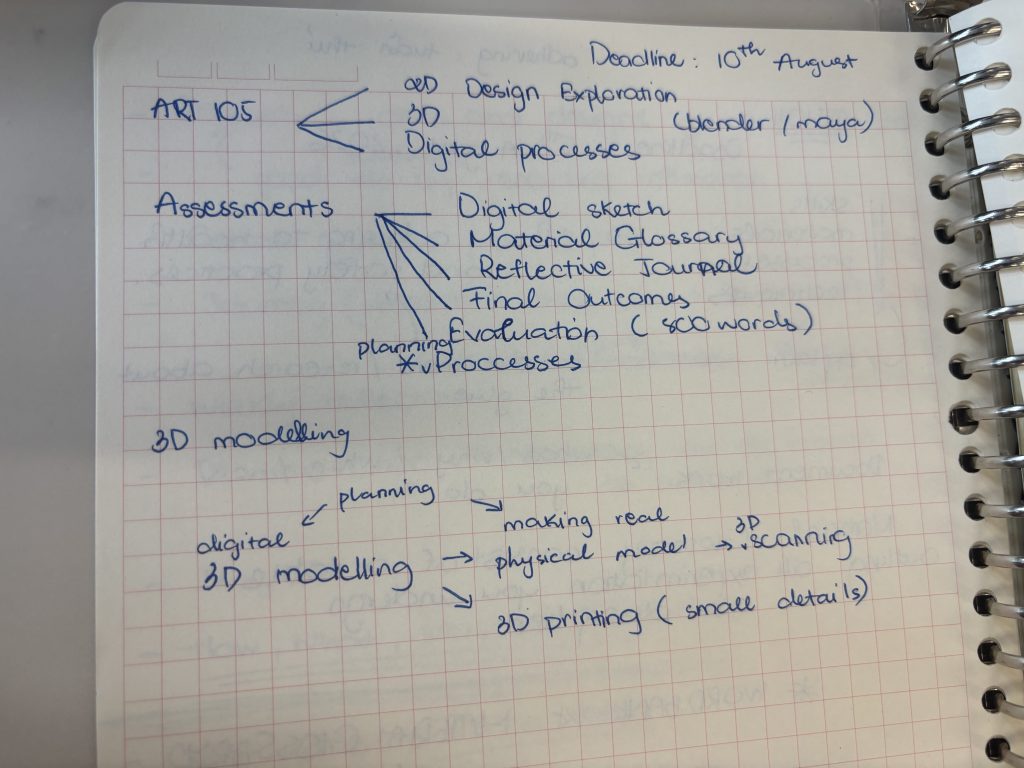
For my major, I think I will use 3D digital modelling to consider the materials, colours and planning models for the final physical models. This helps me present multiple options and make the most reasonable and effective decision which reduces the time of making many physical models. 3D digital modelling also allows me to do 3D sketches which can be used for 3D printing. This helps me print small and detailed models, especially models that are spherical or hemispherical in shape, because last semester I did a physical model of a fountain but it is designed with a hemispherical shape, difficult to make, so I think 3D can solve these problems and also decrease time in making detailed models. In addition, this semester I will make models in scale (maybe 1:100 or 1:50) so 3D digital modelling can help me plan the physical models accurately before starting so I can have more time to make models, especially experiments with different materials. For 2D media, I think I will explore AutoCad which I did not change last semester because my laptop’s fan did not work which made it hard for me to use heavy softwares. Autocad is for my professional skills of my major (Landscape Architecture) which help me make maps for preparing master plans, design irrigation systems, topographic cross-sections, and detailed construction drawings with absolute accuracy (to the millimeter). Beside Autodesk’ softwares, I want to level up my skills in photoshop adobe because this semester I want to make design sheets with A0 or A1 size which include more information and images. The reason for this is that I want to include everything in just 1-3 sheets so I do not forget anything and because of using big sizes I have to manage them well.
Examples
Sky: Children of the light
This is a mobile game, I played it since I was in grade 8. I really like the scenes, background and architecture inside the game.
The architecture in Sky barely has rough, angular edges. Instead, there are arches, curved gateways, and hemispherical temples that blend seamlessly into the hills and mountains. To create these structures, 3D artists must use sophisticated curved surface modeling techniques.
They used the “Blob Terrain System” in the game, a procedural approach where artists place simple primitives (cubes, spheres, etc.) that the engine bakes into a single, organic mesh. After baking, a noise overlay adds natural variation, and a secondary material (snow, grass, etc.) is applied. This workflow keeps the vertex count low and integrates smoothly with the mobile‑friendly lighting pipeline (Gnomon, 2020).
So, instead of struggling with clay or cardboard to create a perfect sphere, 3D modeling curved structures like those in Sky and exporting them to a 3D printer ensures absolute geometric accuracy and saves considerable time.
Gnomon (2020) The Art of Sky: Children of the Light. YouTube. Available at: https://www.youtube.com/watch?v=FwcNVlpymNk (Accessed: 10 June 2026).

